Softography - Imagine Software

Below is a brief synopsis of all the games published by Imagine Software, listed in chronological order. Imagine only lasted for a few years but in their short time they managed to create a large number of well remembered titles.


Arcadia (1982)

Available on: ZX Spectrum 16K
Developed by: Dave Lawson
Number of Players: 1
Controls: Keyboard

Description
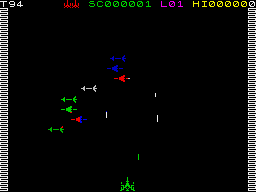
"A classic vertical scrolling shoot-em-up, with 32 different levels. CONTROLS: Left,Right - Alternating keys on CAPS to SPACE row Fire - Keys on Q to P row Thrust - Keys on A to ENTER row INSTRUCTIONS Using the keys, you have to wipe out wave after wave of alien nasties. Each wave has a different enemy with varying movement characteristics. To reach the next level, you have to survive with a single life until a counter gets from 99 to 0. Care should be taken when the counter does get to 0 since any aliens on the screen will just drop straight down, irrespective of how they normally move. This action can kill your player, thus meaning a restart of same level. ".

Wacky Waiters (1982)

Available on: ZX Spectrum
Developed By:
Number of Players: 1
Controls: Keyboard

Description


Catcha Snatcha (1983)

Available on: ZX Spectrum
Developed By:
Number of Players: 1
Controls: Keyboard

Description


Ah Diddums (1983)

Available on: ZX Spectrum
Developed By: Dave Lawson
Number of Players: 1
Controls: Keyboard

Description
You control a teddy bear trying to get back to it's nursery through 99 toy boxes (Levels). Using the keys, the idea of each level (Toy Box!) is to build a set of steps out of building blocks that are scattered about. There are nasties (the level indicating the number) that will shred ted if he makes contact with them. Weapons can be picked up and used to kill the nasties, however if they are all killed, an indestructible roving lump of plasticene will then hamper you. To temporarily pause the nasties, you can open the jack-in-the-box by touching it.


Stonkers (1983)

Available on: ZX Spectrum
Developed By: D.H. Lawson & John Gibson. Graphics by Paul Lindale
Number of Players: 1
Controls: Keyboard, Joystick

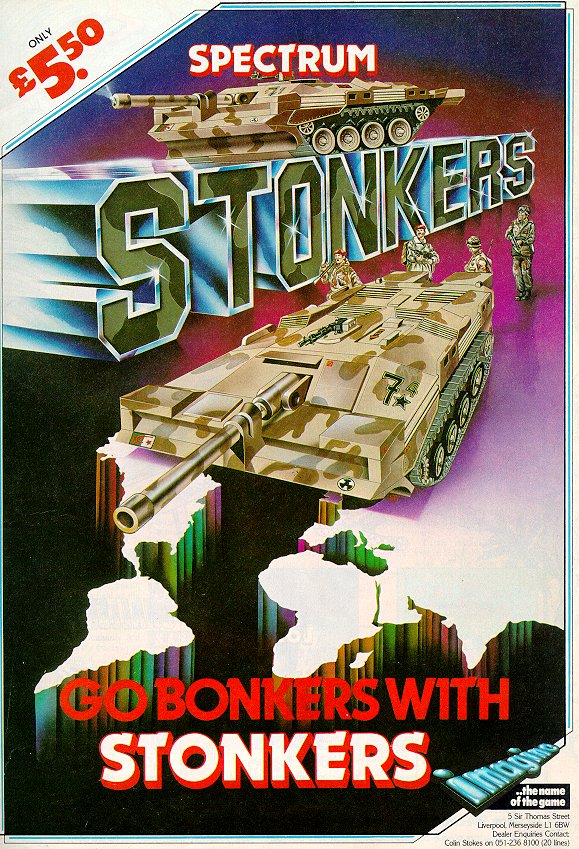
DescriptionSTONKERS You are poised on the very brink of battle. Your forces are marshalled to overcome the enemy bastion. As Commanding General it is now up to you to out think, out manoeuvre and out fight the enemy. Your army has had the enemy port and H.Q. under siege for weeks, now is the time for battle to commence. It is you and you alone who must decide the strategy to adopt in order to defeat your formidable foe. As you scan your battle map and endeavour to deploy the tanks, infantry and artillery under your command skillfully enough to capture your objectives, you can't help but feel apprehension as to the outcome of this decisive engagement. Suddenly you are locked in mortal combat; problems and decisions are heaped upon your shoulders; ammo and supplies are running low, can you spare another tank division in the eastern sector? The enemy are thrusting forward on your left flank, will you find that vulnerable spot? Will victory be yours...... LOADING: Place the cassette into your tape recorder with the printed side facing upward. Ensure that a lead goes from the EAR socket on the SPECTRUM to the EAR socket on the recorder and that the MIC socket is disconnected. Rewind the tape to the beginning. Type one of the following:- LOAD "stonkers" ENTER. The word LOAD is obtained by depressing the J key, and the quotes by depressing the SYMBOL SHIFT and P keys simultaneously. ENTER means to press the key marked ENTER. Also note that there is no space between the two quotes in this method. Press play on the recorder. If loading is successful a flashing message will appear on the screen in several seconds. The process is entirely automatic from there on. If problems are experienced adjust your volume control and try again or re-read chapter six of your introductory manual. Stonkers will only work with a 48K ZX Spectrum. A map of the total war zone will appear on the screen: the two purple shaded areas on the left are the enemy Port and H.Q.; the two purple shaded areas on the right are your Port and H.Q. The strength of both armies is also shown: each armoured division is depicted by a tank; each artillery division by a gun and each infantry division by a man. Your four supply units are depicted by trucks. The enemy forces are coloured blue, yours are black. Also on the screen will be a diagonally striped cursor which can be moved over the battle zone by using your Joystick or - LEFT - CAPS, X, V, N, or SYMBOL SHIFT. RIGHT - Z, C, B, M, or SPACE. DOWN - A, S, D, F, G, H, J, K, or L. UP - Q, W, E, R, T, Y, U, I, O, OR P. CHOICE OF BATTLES: Stonkers can be played on two levels, one more difficult than the other. On pressing joystick fire button, or any key on the top row, the area immediately below the cursor is magnified 64 times; it is on this scale map that the battle is fought. Press fire button again (or any top row key) and you are back on the small scale total war zone map. The bright areas of the small scale map show the displacement of your divisions, and the small black dots the position of your two supply ships. On the larger scale map you have an X shaped cursor, which is moved in the same way as the diagonally shaped cursor on the total war zone map. INFORMATION: Whilst the battle is in progress you will be kept up to date with constant news flashes on your 'ticker tape'. You are also reminded on regular intervals how long you have been engaged in combat. DEPLOYMENT: To deploy your divisions place your X cursor directly over the division required and press 'fire', the cursor will then adopt that division's shape and your strength status will be displayed below. Move cursor to the position you want your division to occupy, press 'fire' again; and your division will deploy to that position. As you deploy your forces the large scale map will automatically scroll over the entire battle zone. Remember, as your forces are advancing on the enemy strongholds their forces are advancing on yours. Whilst playing the more difficult version you can only see the enemy divisions when one of your divisions is in the same vicinity. You must be constantly on your guard. COMBAT: When opposing forces meet, whether by accident or design they will engage in combat; and remember, an armoured division is superior in strength to an artillery division which in turn is superior to an infantry division. Whilst engaged in combat your forces turn yellow and the enemy a light blue. The forces remain in combat until one of the divisions is either destroyed or retreats. To retreat from combat use the same method as deployment. SUPPLIES: Your four supply units are non combatant and are used to keep your combat troops supplied with food and ammo; to do this you must deploy your supply unit to the same location as a battle division. Once your supply unit arrives the battle divisions supply strength will increase. You must not allow any divisions supply strength to drop to zero or that division will be lost for good. A depleted supply unit will be replenished when your supply ship docks. Capturing enemy supply units will be to your advantage; but don't let yours fall into enemy hands. MOBILITY: The speed at which a division or unit moves is determined by the terrain it is travelling over; fast on the plain and slower by varying degrees in the mountains, woods and marshes. PAUSE: Whilst your X cursor is directly above one of your divisions or in the process of 'issuing orders' the game is suspended. OBJECTIVE: To gain victory you must destroy all the enemy combat divisions or occupy the enemy port and H.Q. SURPRISES: Yes there are quite a few; but it's up to you to find them. Good luck, and good hunting! GAME DESIGN: D.H. Lawson & John Gibson. PROGRAMMING: John Gibson. SCREEN GRAPHICS: Paul Lindale. ILLUSTRATION: Gordon Brooks. HINTS/CHEATS The easiest way to win this game is to organise your whole army around the port, as close as possible, but spread about enough to enable you to supply specific units without them accidently supplying other ones. Each time you get a round of supply units, send each of them immediately towards a group of units of the same type, so that you know which ones have been supplied and which ones not, since it is easy to lose track. If you manage to supply a unit before the ship has left, the supply unit will immediately be replaced for you to supply another type of unit. Sometimes you may be able to supply up to three units with one supply unit if you can do it quickly. Simply keep doing this until the enemy arrives (it may take some time, so speed up your emulator). Then simply attack the enemy in force as they come to you. You will be able to easily resupply your units, and eventually the enemy will be overcome through lack of supplies.


Zip Zap (1983)

Available on: ZX Spectrum
Developed By: Ian Weatherburn
Number of Players: 1
Controls: Keyboard, Joystick

Description
HALLUCINOR: An unexplored planet only recently discovered in the Spectralia Star System. Probe investigation records massive life readings and earth normal gravitational and atmospheric conditions. The planet has been marked for immediate priority colonization subject to clearance by robot team Prelim-0484. A simple job they said, exciting but not at all dangerous they said. I mean things were O.K. for the first couple of months. There certainly wasn't much guarding to do. If a native did appear, a quick warning blast from my laser blast would send it scurrying away, but then ...As soon as the whole of the Tele-Portal network was powered up, they attacked, we guards tried to stop them but there were just too many of them... and now there's only me left, my control circuitry is damaged, I can't switch my motors off, so the only thing I can do to slow down is to slam the brake units on, but that doesn't do much good. I must pick up the fuel cells and go through the Tele-Portal to soak up some more energy, it's running so low, so tired... OH NO!!! Here they come again... H-E-L-P!!!! How to Play Zip-Zap: The object of the game is to survive through as many sectors (levels) of the planet "Hallucinor" as possible. You must steer the runaway robot through the fuel cells to pick them up. After passing through one it automatically moves to its position around the Tele-Port so that it can provide power to activate the Tele-Portal. The Tele-Portal must be fully energized with all four fuel cells in position around the Tele-Portal so that you can be transported to the next sector. To be transported you simply steer the robot through the centre of the fully energized Tele-Portal. The Tele-Portal will automatically come down and transport you to the next sector. Use your laser blaster to defend yourself against the attacking aliens. The brakes can be used to reduce your speed by about one third enabling you to turn in a smaller circle to avoid the aliens. You start with 99 units of energy in your storage batteries. Energy is used up slowly travelling around but should you collide with an alien your shields will automatically be activated using up to 10 units of energy. 10 units of energy are generated when you travel through the Tele-Portal to the next sector. There is a bonus of 99 which decreases steadily until you are transported through the Tele-Portal, at which time the bonus showing is added to your score. As you travel through more and more sectors of the planet, the aliens become more and more vicious and intelligent... so beware... THE TOP STATUS LINE: The top line shows from left to right - the number of sectors you have survived so far, the current bonus, the score so far, the high score. In addition the second line indicates the amount of energy remaining in your storage batteries. SCORING: Your score for each alien destroyed is equal to the sector number you are on i.e. 3 points per alien on sector 3, the bonus will be added to your score at the end. HOW TO CONTROL YOUR ROBOT: There are a large number of keys which may be used. You should choose the combination with which you feel most comfortable. ROTATE LEFT: The keys to rotate left are all on the bottom row of the keyboard. Beginning with CAPS SHIFT every alternate key may be used. That is CAPS SHIFT, X, V, N, SYMBOL SHIFT. ROTATE RIGHT: The remaining keys on the bottom row may be used to rotate right. That is Z, C, B, M, SPACE. BRAKE: Any of the keys on the second row may be used to slow down. FIRE: Any of the keys on the third row may be used to fire. TO COLLECT FUEL CELLS: Simply pass through them with your robot. Doing so reactivates their natural attraction to the particular Tele-Portal that they were designed for and (after a quick zip through hyperspace) they will automatically by positioned around the Tele-Portal. LOADING: Place the cassette into your tape recorder with the printed side facing upwards. Ensure that a lead goes from the EAR socket on the SPECTRUM to the EAR socket on the recorder and that the MIC socket is disconnected. Rewind the tape to the beginning. Type one of the following: LOAD "zipzap" <ENTER>. The word LOAD is obtained by depressing the J key, and the quotes by depressing the SYMBOL SHIFT and P keys simultaneously. <ENTER> means to press the key marked ENTER. Also note that there is no space between the two quotes in this method. Press play on the recorder. If loading is successful a flashing message will appear on the screen after seveal seconds. The process is entirely automatic from there on. If problems are expected adjust your volume control and/or try again or re-read chapter six of your introductory manual. Zip Zap will only work with a 48K ZX SPECTRUM. GAME DESIGN & SOFTWARE by Ian Weatherburn GRAPHIC DESIGN by Steve Blower.


Zzoom (1983)

Available on: ZX Spectrum, Commodore 64, Amstrad CPC
Developed By: John Gibson, Mark Butler, and Steve Blower
Number of Players: 1
Controls: Keyboard, Joystick

Description
As you climb into your gleaming Ground Skimmer and slide behind the highly sophisticated flight computer, the feeling of excitement slowly turns to dread. Another mission is about to begin. If your resolve begins to weaken, think of the thousands of refugees who will die if the enemy are allowed to carry out their policy of genocide. Remember, you are flying the fastest most deadly machine yet devised by man. You punch the launch button and are slammed back into he seat as your Ground Skimmer hurtles into the air: your instruction are clear; seek out, engage and estroy the enemy. Your fingers hover over the weapons console ... another mission begins.

How to select your Keyboard/Joystick Option
"""""""""""""""""""""""""""""""""""""""""""
To run through the game control options press CAPS SHIFT until the option you require is emphasied. Then hold down the ENTER key until the game begins.

How to play ZZOOM!!
"""""""""""""""""""
The object of the game is to protect the refugees, who walk along the horizon from the enemy aircraft, tanks and submarines. The radar is a small scale version of the whole of the landscape. The view out of your cockpit is indicated by the four corner markers. Only the enemy will appear on the radar. Use thea radar to locate the position of the enemy. The refugee counter on the console indicates how many refugees you have saved. A refugee is saved when it walks onto the screen and makes it safely back off again. Any refugees left on the horizon after each attack wave are added to your refugee counter and then the bonus is completed. You score by destroying the enemy. The autopilot is engaged between every attack wave. Every time you are hit by the enemy part of your shields are used up. If you run out of shields and you are hit by the enemy, you are destroyed. Use the di-bar to judge your height. When it flashes at the bottom you must not fly any lower or you will crash and be destroyed. When your console flashes condition red, then watch out as you are under attack. Condition yellow indicated the enemy are about to attack. Condition green means just stay alert. When the words exotron or R.P.V. flash on your console this indicates the Exotron or a remotely piloted vehicle have been unleased upon you. You must destroy these at all costs as they weaken your shield considerably. There are many levels to be traversed. Each level brings more danger from different, faster and more powerful enemies.

How to control your Ground Skimmer
""""""""""""""""""""""""""""""""""
There are a large number of keys which may be used. You should choose the combination with which you feel most comfortable. Left: The Keys to move the flight window left are all on lowest keyboard row. Beginning with CAPS SHIFT every alternte key may be used, i.e. CAPS SHIFT, X, V, N, SYMBOL SHIFT. Right: The remaining keys on the bottom row may be used to move the window right, i.e. Z, C, B, M, SPACE. Down: Any of the following keys on the second row may be used to fly lower, i.e. A, D, G, J, L. Up: Any of the following keys on the third row may be used to fly higher, i.e. Q, E, T, U, O. Missiles: Any of the following keys on the second row may be used to fire the air-to-air and air-to-sea missiles: S, F, H, K, ENTER. Machine Guns: Any of the following keys on the third row will fire the high-recoil machine guns: W, R, Y, I, P. The Machine Guns may be used at any time, except when the auto-pilot is engaged. In addition, if a key on the top row is pressed the game will "freeze". Pressing any key not on the top row will allow you to resume the struggle.


Alchemist (1983)

Available on: ZX Spectrum
Developed By: Ian Weatherburn and Paul Lindale
Number of Players: 1
Controls: Keyboard, Joystick

Description
You the most skilled Alchemist on Earth have been summoned to do battle with the Evil Warlock who is terrorizing the land. As you enter his dread castle you wonder if even your formidable powers will be enough to defeat this evil force. Your only chance of success is to find the four sections of magic scroll that have been ingeniously hidden in this forboding place. Only when the four mystic pieces are in your possesion will you be able to render the Warlock powerless by using his own "Spell of Destruction" against him. As you fight your way relentlesly onward, every evil creature and force at the Warlocks disposal is unleashed against you.; you hurl lightning bolt after lightning bolt against these powers of darkness, your energy becomes depleted, you must find food to rekindle your ebbing power. As the obstacles become more and more awesome will you have the energy at your command to perform the transformation spell which will turn you into a mighty Golden Eagle and enalbe you to overcome many of the diabolical traps set for by the Warlock. Your objectives are clear, assemble the magic scroll and banish evil into oblivion for eternity.

How to Play
"""""""""""
The object of the game is to find the four pieces of the "Spell of Destruction" then locate the evil Warlock; once you are close enough you will be able to cast the spell and destroy him. To assist you in battling your way to the Warlocks lair there are a number of lesser spells which you can find and then cast as you need them. These lesser spells will take the form of small scrolls. You will also come across other objects which may or may not assist you in your quest, this is for you to discover. You may only carry one object and or one spell at a time. Any type of movement or bumping into objects or obstructions will decrease your stamina by varying degrees. To maintain your stamina you will need to eat regularly; to do this you must pass over food packs, then your stamina will be replenished. Casting spells, hurling lightning bolts or transforming into a "Golden Eagle" will decrease your spell energy, this is only restored with time ... so be careful ... and good luck.

Combat
""""""
Should you engage one of the Warlocks Evil Guardians in combat both yourself and the Guardian lose stamina. If however you are carrying a weapon your fighting ability is increased (by varying amount, depending on which weapon you have), but beware some of the Guardians are incredibly strong.

Casting Spells
""""""""""""""
Once a spell has been cast it will last for a set period of time, unless your spell energy runs out ... in that case so will the spell.

The Status Area
"""""""""""""""
The bottom three lines display status. Status informatioon is: 1. Spell Energy; the energy remaining with which to cast spells or hurl lightning bolts. 2. The amount of stamina you have left. 3. Any lesser spell you are carrying. 4. Any object being carried. 5. Time left in that room before you are located by the Warlock. This time is indicated by an hourglass sand timer. 6. Any of the four pieces of the "Spell of Destruction" you have found.

How to control the Alchemist
""""""""""""""""""""""""""""
Walk/Fly Left - CAPS SHIFT, X, V, N, SYMBOL SHIFT Walk/Fly Right - Z, C, B, M, SPACE Cast Spell - A, D, G, J, L may be used to cast either the lesser spell you are carring or the "Spell of Destruction" if you have all four sections of the Mystic Scroll in your possesion. If you are not carrying a lesser spell or the "Spell of Destruction" you may use these keys to hurl lightning bolts at your attackers. Transform - S, F, H, K, ENTER may be used to transform from the Alchemist to the EAGLE, and back. Flap - Q, E, T, U, O may be used to flap the Eagles wings. Pick Up/Drop Object - The Alchemist may only carry one object at a time. If he is standing next to an object he can pick it up or put it down by using one of the following keys: W, R, Y, I, P. Pick Up/Drop Spell - Any key on the top row may be used to pick up/drop lesser spell and/or a piece of the "Spell of Destruction". Quit Button - If you get stuck you may abandon current game by pressing Key '1'


Schizoids (1983)

Available on: ZX Spectrum
Developed By: David H Lawson
Number of Players: 1
Controls: Keyboard

Description
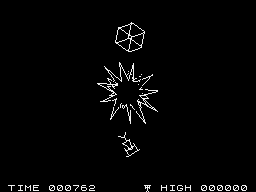
A penniless space wanderer you are starving and desperate to earn some money. Stranded on the outer rim of the galaxy you take the only couse left open to you and apply for the job of interstellar refuse disposal consultant (dustbinman). You soon regret that rash moment when you signed on the bottom line. The job turns out to be the most dangerous and most lonely in the universe. Stranded ten parsecs from the nearest trace of life you have only a terrifying black hole for company and to make things worse most of the galaxy is hurling enormous pods of rubbish at you! To be fair they're not really aiming at you personally, but at the black hole. But being such awful shots (or perhaps because black holes are fairly invisible against black space) they usually miss it and the garbage ends up in orbit around the hole. That's where you come in. All you have to do is push the garbage pods out of orbit and into the hole. Sounds easy. But the universe being such a deverse and varied place, the worlds whose rubbish is packaged according to individual preference impart slight spins to it in order that it will have a nice pretty trajectory. Still it's not all gloom and doom. You have a pretty neat Space-Dozer to do the job with. It'll handle any type of head-on collision with its anti-momentum shovel up front. And with a bit of practice you can even stabilise a spinning pod with the skyhook on the back. Pity the sides are so fragile. Still, you're a pretty good astro pilot. And they do say you can have some fun too. Once you get a bit good at it you can use other pods to do the work for you. Bounce them off each other and ricochet them into the hole. Strange names that they have for the pods, "boxes", "rods", "trays", "spangles" and all the rest. Wonder why they pay by the minute? You start the game with four Dozers. Your score is the length of time you have survived.

How to control the Dozer
""""""""""""""""""""""""
There are a large number of keys which may be used. You should choose the combination with which you feel most comfortable. Left - The keys to rotate left are CAPS SHIFT, X, V, N, SYMBOL SHIFT Right - Rotate right Z, C, B, M, SPACE Thrust - To thrust in the direction the Dozer is pointing. A, S, D, F, G, etc. Flip - Flip the dozer through 180 degrees with Q, W, E, R, T, etc. In addition if a key on the top row is pressed the game will "freeze". Pressing any key not on the top row will allow you to resume the game.

The bottom status line
""""""""""""""""""""""
The figures on the bottom row represent from left to right: - The time you have survived so far in the current game. - The number of Dozers available for use. - The longest period you have survived so far. You gain an extra Dozer for each "spangle" you send into the hole. To stop the Dozer simply flip it through 180 degrees and thrust until you stop.


Molar Maul (1983)

Available on: ZX Spectrum
Developed By: John Gibson and Steve Blower
Number of Players: 1
Controls: Keyboard, Joystick

Description
The following is on extract from The Report of The 25th Bi-annual Symposium on Dental Hygiene:

THE DK MENACE
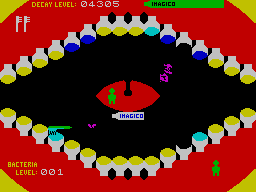
It has long been known that our teeth are under constant attack from a form of oral bacteria known as Dentorium Kamikazium: the DK. Little has been known about the life cycle of the DK but the recent research has revealed a startling fact. Bacteriologists believed that the DK's life span was limited because the mechanism by which it attacked teeth led to its own destruction (see 'The Kamikazi Effect', Shimoto 1973.) What Shimoto did not realise however was that the DK's destruction was not permanent. It is able to rejuvenate after each attack upon o tooth and thus, far from having a short life is in fact immortal! This discovery has led inevitably to o radical change in our attitudes to tooth decay. No longer are we able to believe that decoy con be eradicated completely. The indestructibility of the DK means that we can only hope to reduce it by constant use of toothbrush and toothpaste. On a happier note, the research has led to the development of DKX 11. This chemical has the effect of interrupting the normal DK cycle, thereby forcing it to rejuvenate early. When introduced into toothpaste, DKX II1 can extend the life of a tooth by as much as 90%. Those are the facts. This is the challenge. You hove a limitless supply of Imagico toothpaste, (containing DKX 11) and three toothbrushes with which to prevent the DK's from destroying your teeth. One tube of Imagico provides 10 squirts with which to clean them and repel the DK's. Each time you succeed in using up a tube of Imagico you move on to the next and more dangerous bacteria level. But each time the DK's succeed in destroying 4 teeth, you lose one of your toothbrushes. Beware the appearance of various sweets; when the DK's eat them they become more powerful. Finally, remember: a toothbrush without toothpaste is useless. How long can YOU withstand the DK menace?

THE STATUS OF YOUR MOUTH On the top left is recorded the current condition of your teeth: the DECAY LEVEL. This is reduced each time you clean a tooth but increased each time a DK attacks one. The condition of individual teeth is indicated by their colour, ranging from white (undecayed) to black (rotten.) Initially all the teeth are yellow, corresponding to a decay level of 1600. The green bar indicator on the top right tells you how much toothpaste is left in your current tube of Imagico. The bacteria level you have so far succeeded in reaching is shown on the bottom, on the left. The sweet corresponding to the current bacteria level is displayed on the bottom right. Initially, this is a Jelly Baby. After the first game has been completed, the best bacteria level achieved is permanently displayed across the bottom.

HOW TO CONTROL YOUR TOOTHBRUSH LEFT The keys to move left are all on the lowest keyboard row. Beginning with CAPS SHIFT every alternate key may be i.e. CAPS SHIFT X,V,N, SYMBOL SHIFT RIGHT The remaining keys on the bottom row may be used to move right. i.e. Z,C,B,M, SPACE DOWN Any of the keys on the second row may be used to move down. UP Any of the keys on the third row may be used to move up SCRUB Any of the keys on the top row may be used to make the toothbrush scrub a tooth. Remember though: you must have toothpaste on the brush.

TO OBTAIN TOOTHPASTE simply position the toothbrush next to the spout of the Imagico tube and a squirt of paste will be delivered automatically. The tube will then disappear and will not reappear until the squirt has been used up. To increase the volume of the sound effects you should connect the MIC socket on your cassette recorder. Disconnect the ear line. Remove any cassette from the recorder an press 'play on the recorder.


Jumping Jack (1983)

Available on: ZX Spectrum
Developed By: Albert Ball and Steve Blower
Number of Players: 1
Controls: Keyboard

Description
Jumping Jack knows a rhyme, a four verse limerick. Unfortunately he is unwilling to recite it unless you help him scale the levels to the top of the screen. Only by helping him through all twenty screens will you learn the entire rhyme. For each screen completed he will tell you two lines. Jack is faced with eight layers initially containing only two moving gaps, the gap moving leftwards travels upwards whilst the gap moving to the right travels downwards. Jack must jump through the gaps above him whilst avoiding falling through the gaps below. Jack can only move upwards by jumping through the gap above but he can also move left and right. Should he run off the edge of the screen he will wrap around to the other edge. Should he fall down a layer he will bang his head and remain unconscious for a period of time during which he cannot move. Every time he arrives at the bottom of the screen unconscious he loses a life. At each successful jump a new gap appears at random - the first three new gaps descend then the next three ascend - up to a maximum of eight gaps. On making a successful jump at the top layer the 'next level' sequence is entered, and the next part of the rhyme is given. Hazards will begin to appear after the first level - one initially, then two right up to a maximum of twenty, one for each level completed. They all ascend and if Jack collides with a hazard he will be knocked unconscious. Please turn over SCORING: After each completion of each verse of the poem (a four verse limerick) a new life is awarded. Scoring is by successful jumps and progressively more points are awarded at each new level. HOW TO MOVE JACK: Jump CAPS SHIFT Left SYMBOL SHIFT Right SPACE Hold 'Z' KEY JUMPING JACK will work with any ZX SPECTRUM. LOADING: Place the cassette into your tape recorder with the printed side facing upwards. Ensure that a lead goes from the ear socket on the SPECTRUM to the EAR socket on the recorder and that the MIC socket is disconnected. Rewind the tape to the beginning. Type one of the following LOAD""<ENTER> The word LOAD is obtained by depressing the J key, and the quotes by depressing the SYMBOLIC SHIFT and P keys simultaneously. <ENTER> means to press the key marked ENTER. Also note that there is no space between the two quotes in this method. Press play on the recorder. If loading is successful a flashing message will appear on the screen after several seconds. The process is entirely automatic from there on. If problems are experienced adjust your volume control and try again or re-read chapter six of your introductory manual. PROGRAM CODING by Albert Ball GRAPHIC DESIGN & ILLUSTRATION by Steve Blower


Bewitched (1983)

Available on: ZX Spectrum
Developed By: ?
Number of Players: 1
Controls: Keyboard, Joystick

Description


BC Bill (1984)

Available on: ZX Spectrum
Developed By: Eric the Bear and Steve Cain
Number of Players: 1
Controls: Keyboard, Joystick

Description
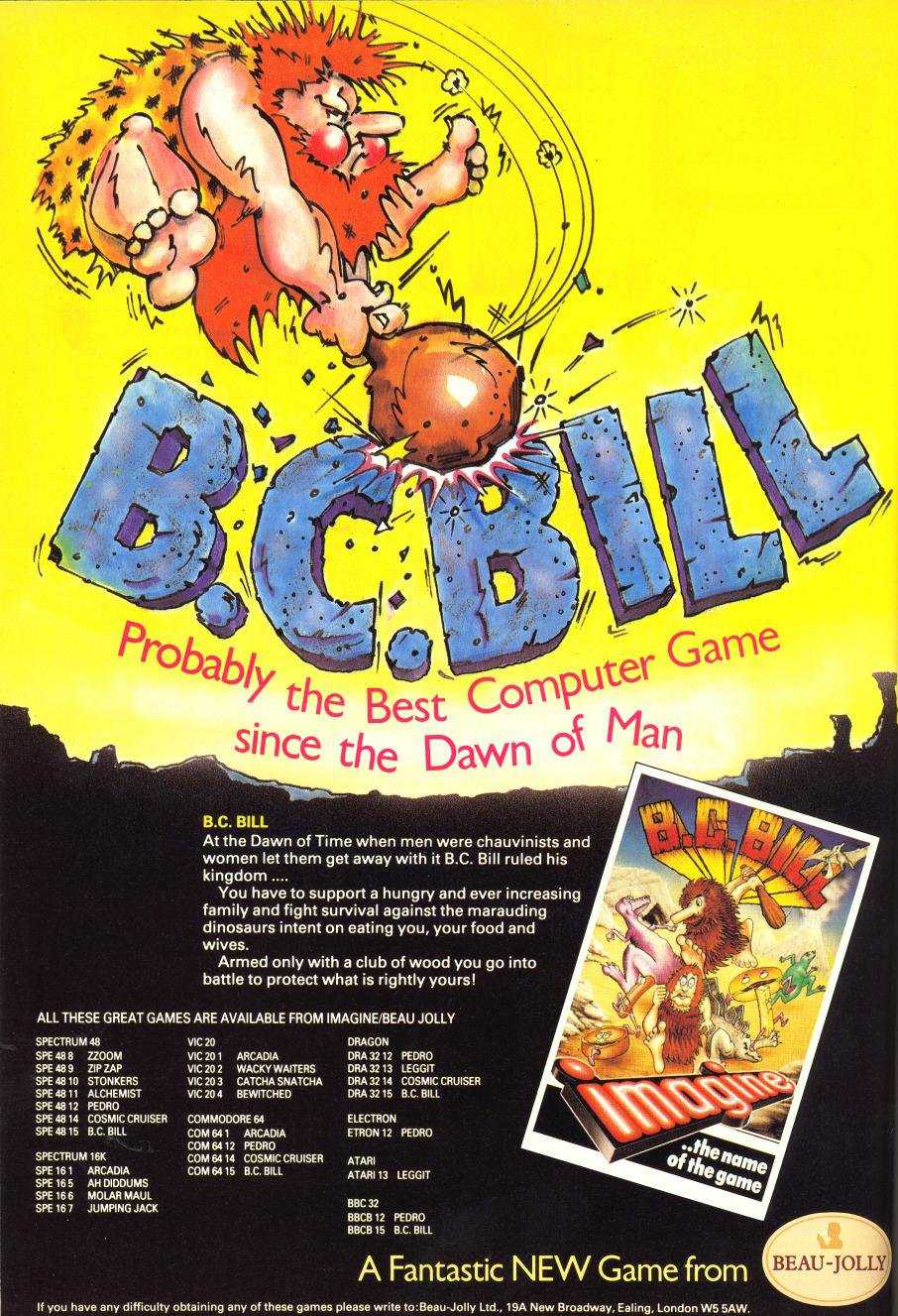
At the dawn of time when men were chauvinists and women let them get away with it, B. C. Bill ruled his domain with a club of wood. After leaving his tribe to seek his fortune, Bill has found himself a comfy cave in a desirable area and decided to start his own dynasty. The first thing he needs are a few wives; and prehistoric courtship being pretty basic this doesn't prove very difficult - every time an unsuspecting lady wanders into his territory, Bill simply runs up behind her and then it's a clout on the head with his club, and a quick drag by the hair back to his cave. One of the problems with accumulating wives is feeding them - so before long Bill is running around clubbing down food, and if that's not bad enough being a model husband invariably leads to children, and once they start arriving Bill's family feeding problems become more and more difficult. You will be able to watch the seasons change and if Bill has kept his wives well fed and happy they will each produce one offspring at regular intervals. The fight for survival gets tougher and tougher as the seasons change and the tribe grows. With so many people and so much food around it's hardly surprising that the predatory flesh eating variety of dinosaurs are attracted to Bill's clearing. Not only do they steal his food but will kill anyone who is not safely tucked away in the cave. Before long his little kingdom is overflowing with wives, kids, food and dinosaurs, and Bill is having a frantic time trying to keep things organised - in fact, many historians believe Bill was the first human to suffer from ulcers. Once you get to grips with Bill and his way of life you'll realise there's a lot to be said for female emancipation! OBJECT OF THE GAME: The object of the game is to collect as many wives as you can whilst at the same time collecting enough food to satisfy your ever growing family. You will be allowed five 'years' to acquire your first wife and you must keep all your kids well fed for seventeen years when they will be old enough to leave home and fend for themselves - you will receive bonus points for every kid who reaches maturity; but as each of your kids leave home you will be attacked by an invincible dinosaur who you will have to avoid until he has eaten three units of food and satisfied his hunger. Throughout the game you will have to attack the more vulnerable species of dinosaurs who constantly steal your food and attempt to kill you and members of your family. You can only attack these beasts by clubbing them from behind. Each spring every wife who has food will produce a child and every Autumn any wife with no food will die, and any kid with no food will leave home. If all your wives die and all your kids leave home you will die of a broken heart. GOOD LUCK AND GOOD HUNTING!

STATUS LINE: The status line will apear on the bottom of the screen, and will give you (from left to right) score, food, year, women and kids information. CONTROLS: LEFT: The keys to move left are all on the bottom row of the keyboard. Beginning with CAPS SHIFT every alternate key may be used; i.e. CAPS SHIFT, X, V, N, SYMBOL SHIFT. RIGHT: The remaining keys on the bottom row may be used to move right; i.e. Z, C, B, M, space. UP: Any key on the third row. DOWN: Any key on the second row. TO CLUB: Any key on the top row will allow you to wield your club but only if you are moving or facing left or right. Once you have 'clubbed' a wife or some food and move towards your cave the 'clubbed' object will automatically be dragged behind you. You can not use your club whilst dragging. By passing across the entrace to your cave the object you are dragging will automatically disappear into it.

DIAGONAL MOVEMENT: Whilst hunting wives, food or dinasaurs you can, with clever manipulation of the keyboard or joystick move in a diagonal fashion. At the beginning of the game you will be given the choice of using either the keyboard or one of the following joysticks - A.G.F., PROTEK, KEMPSTON, 12L, FULLER or SINCLAIR. After pressing the number of your choice and receiving the correct message on the screen press "Y".

B.C.BILL (C) 1984 by Creative Technology Group Ltd. The game, its program code, game mechanics, audio-visual presentation and documentation are protected by National and International copyright laws. The distribution and sale of this product are intended for the use of the original purchaser only and for use only on the computer system specified. Lawful users of this program are hereby licensed only to read to the program. This product may not be stored, translated, transmitted, reproduced or distributed in any form or by any means or offered for hire or for sale on any optional buy back basis without express written permission of Creative Technology Group Ltd. All rights of the author and owner reserved worldwide. B. C. BILL is a registered trademark of Creative Technology Group Ltd.


Pedro (1984)

Available on: ZX Spectrum
Developed By: Creative Technology Group (Frank Johnson), and Steve Cain
Number of Players: 1
Controls: Keyboard, Joystick

Description
There'll be no siesta for Pedro, he's the busiest gardener South of the Border. After many years of hard work and loving care Pedro now has the most beautiful flower garden in Old Mexico. The trouble is all the animals for miles around have acquired a taste for Pedro's succulent blooms and are always looking for ways to break into his garden to eat them. From dawn till dusk as Pedro slaves away, the animals never give him a moments peace. He tries everything to stop them getting to his prize blooms, from blocking the garden paths with compost and bricks, to chasing them away and even jumping on them; but even so, some still manage to get through. Everytime an animal gets into the garden and eats his flowers Perdo has to plant more seeds, it's problem after problem, and if things aren't bad enough the village tramp keeps sneaking in to try and steal Pedro's seeds, so he has to be chased off as well. What with marauding animals and thieving tramps it doesn't look as if you're going to get much of a siesta either. So look lively, you can't put things off till manana.

AIM OF THE GAME
To stop the animals from eating his plants Pedro must collect bricks or compost from the bottom corners of the screen and block the maze exits. He may not carry or place more than one object at a time. Any animals getting into the garden will make for the plants and start eating them. You must decide on whether to block up the maze or stamp out the animals, then you must re-seed the gaps in the garden, at every possible opportunity.

ANIMALS: Appear on the screen at frequent intervals, they make their way through the maze at the top of the screen and then home in on the flower beds, where they consume plants. As the end of the game is the demise of all the plants in the garden it is most important that you protect and replace the plants, by planting seeds.
TRAMP: He appears on the screen at random intervals. He enters the garden from the side and immediately homes in on the seed box. You must run toward him and frighten him away, otherwise he will steal all your remaining seed.

Pedro Play Notes:
LEVELS At the end of each level a bonus is calculated on the number of plants left. At the start of the next level the number of seeds in the box will be increased by one seed for every plant left, up to the original number of seeds you started with. To get to the next level destroy all the animals or try and wait for the timer to reach zero.
LOADING: Connect your cassette recorder to the computer ensuring that a lead goes from the ear socket on the recorder to ear socket on the SPECTRUM and that the MIC socket is not connected. If you are not sure of the connections please refer to your user manual. To load the game type the following: LOAD"". Then press the enter key. The word LOAD is obtained by depressing the J key and the quotes by depressing the SYMBOL SHIFT and P keys simultaneously. Please note there is no space between the quotes. Now press play on your cassette recorder. If loading is successful a flashing message will appear on the screen after several seconds. The process is then totally automatic from then on. If loading was unsuccessful then switch your machine off and begin again.
GAME CONTROL KEYBOARD: The play keys have been laid out in a way so as to offer the player a wide variety of combinations of keys to make the play as comfortable as possible. MOVE LEFT: The keys to move left are on the bottom row, beginning with SHIFT, then every alternative key from then on i.e. SHIFT, X, V, N, etc. MOVE RIGHT: The remaining keys on the bottom row enable you to move right i.e. Z, C, B, M etc. MOVE DOWN: Any of the keys on the second row up may be used to move downwards, i.e. A, S, D, F, G, etc. MOVE UP: Any of the keys on the third row up may be used to move upwards, i.e. Q, W, E, R, T, etc. JUMP/PICK & PUT: Any key on the top row or the space bar will enable you to jump on the invading creatures, also if you are standing close to either the compost heap, pile of bricks or the seedbox depressing any of the top row or space bar will enable you to pick up one of the items. If you pick up either a brick or a compost and wish to block one of the maze exits, take what you are carrying to the exit of your choice then press any key on the top row, your brick or compost will then be put down. If you pick up a seed, take it to an appropriate gap in your flower bed and press any key on the top row, your seed will then be planted and a flower will 'grow' to replace one that has been eaten.

GAME IDEA, AND MANY THANKS to Stephen Knight. PROGRAM by Frank Johnson. GRAPHICS by Ally Noble & Dawn Jones. MUSIC by Fred Gray & Abdul Ibrahim. ILLUSTRATIONS by Brial Wall. PHOTOGRAPHY by Bernard Rose. COFFEE MADE by Lynn Livingstone. Frank Johnson: Frank Johnson was born in Warrington in 1956, and in 1960 moved with brother, sister and parents to Runcorn. After leaving St. Francis Xaviers College in 1973 Frank went on to work in a saw mill where he stayed for seven years. It was during this time that home computers first started to become popular, and Frank soon found himself becoming more and more interested in computer technology. In 1981 the Tandy Model 1 arrived in Britain and Frank became one of the first people in this country to own one; from that moment on he was hooked. Very soon Frank was enjoying huge success selling his highly addictive programes to various software houses, and it was not long before he attracted the attention of Imagine, who, realising his vast potential snapped him up as a full time writer. Outside of computers, Frank's main interests are collecting coins and, via his TV set is an avid armchair sportsman. Pedro for the Spectrum is his first major project of Imagine. Company Profile: Based in the very heart of Merseyside, Imagine are the largest, most successful games computer software company in the world. Success in any field requires determination, dedication and commitment; the three reasons why Imagine constantly lead the field. Everyone working in 'Imagine House', the four storey headquaters in Liverpool's city centre, and at the massive programming, graphic artwork and music complex on the third floor of 'Tithebarn House' is a highly skilled professional; totally committed to the company and its products. From the initial conception to the completed article Imagine's products pass through the hands of the most professional and creative team ever assembled. It is only when the whole package has been thouroughly researced and honed to perfection that Imagine will allow you to have it.


Cosmic Cruiser (1984)

Available on: ZX Spectrum
Developed By: Steve Lavache and Steve Cain
Number of Players: 1
Controls: Keyboard, Joystick

Description
A rading party from the Rallom Empire has taken over one of Earth's far flung space stations. The only Earth craft in the vicinity is an out dated Cosmic Cruiser... and you are the pilot. A priority signal sends you on what could turn out to be a suicidal mission. You have been ordered to save the space station crew at all costs. As you hurtle toward your destiny, a daring plan forms in your mind. The only chance you have is to use your exterior laser cannon to blast open the station portals, then by making use of your body propulsion unit you will have to pluck the crewmen from the station and transport them back to your Cruiser. Your plan requires split-second timing and nerves of steel. As you transport your ward back to the Cruiser you must make snap decisions, if you use your hand laser the blast will blow the crewmen into space, can you get back to your laser cannon in time to blast the Rallom fighters or will you have to secure the rescued crewmen to a nearby satellite to allow you to move more quickly. You see the space station in the distance, the adrenalin pumps through your body... will you succeed.

AIM OF THE GAME
By using your external mounted laser cannon you must blast away the portals of the revolving space station to gain access to your imprisoned buddies, but beware, not all the portals contain imprisoned crewmen, some are manned by Rallom warriors. Sometime after your rescue mission commences added dangers in the form of Rallom Fighters arrive to bomb you with alarming accuracy; this hostile action makes your task infinitely more dangerous and difficult. Start of the Game: You may select which method of control you prefer to use, either Joystick or keyboard. Once your selection has been made the game will begin. Game Begins: Your first priority is to get to your laser cannon, mounted on top of the right hand side of the cruiser. As you pass over the cannon you will lock-on to the gun automatically, using your 'left' and 'right' controls you can guide the direction of your cannon. To rescue the crewmen you must blast away the portals on the revolving outer rim of the space station. Once a portal has been opened you may enter the space station through it to see if there is an imprisoned crewman within. You will have to kill all the alien warriors inside before you can get out again. Now that you have a crewman you must transport him to the open hatch on the top left hand side of your battle cruiser. Be careful to avoid touching one of the floating satellites as the crewmen will be knocked away from you. The alien warriors who were guarding the crewman being to come after you in an attempt to kill you and re-capture the crewman. You must destroy the alien warriors by using either your hand gun or the laser cannon. If you fire your hand gun while carrying a crewman he will float away from you and become very vulnerable to marauding aliens.

Play Notes THE SPACEMAN Can move in any direction on the screen by using the keyboard or joystick. He carries with him a laser pistol at all times. CREWMAN They can be collected from open hatchways. As you pass over him he will automatically attach himself to you. If he drifts away because you have bumped into a satellite or have fired your hand gun, he can be retrieved by going after him and bumping into him again. ALIEN WARRIORS Emerge from hatchways in the space station, once out they immediately head for the hero and crewman, if they make contact with either they will transport them back to the space station. If the hero is taken back you lose a life. The alien can be destroyed by either your hand laser or the laser cannon. STEVE LAVACHE Steve was born in Liverpool in 1962. He attended St. Ambrose Barlow School in the West Derby area of the city, after leaving he went on to Riversdale Technical college to complete a three year course in electronics and telecommunications. During his time at college Steve became fanatical about computers, so much so that half way through the course he 'blew' his entire grant on an Acorn Atom Kit; on which, as soon as he had it assembled he started writing his own programmes. After leaving college he joined B.E.C. Computer World as their general factotum. After six months he went on to Liverpool Computer Centre as service engineer, and it was during the year he spent there that he expanded his knowledge of computers and computer technology considerably. It was during his time at Liverpool Computer Centre that an emerging young company called Imagine Software began to have dealings with the Centre. It was not long before Imagine's two young partners, David Lawson and Mark Butler suggested that Steve might like to join the company; an offer he accepted with alacrity. Steve was soon enrolled as Imagine's Hardware Engineer, and as the company expanded he became Chief Engineer, a position he still holds, in addition to being heavily involved in many programming activities. Any spare time he has is spent decorating his new house with his fiance Diane. Cosmic Cruiser for the Spectrum is his first major programming project with Imagine.

COMPANY PROFILE: Imagine have brought together the most exciting team of programmers, artists, musicians and technicians on the third floor of 'Tithebarn House' in the heart of Liverpool. It is within this complex that Imagine are constantly pioneering new frontiers in computer software. From the initial conception to the final creation Imagine's products pass through the hands and minds of the most dynamic young innovators in the industry. A stones throw away from 'Tithebarn House' is Sir Thomas Street, where you will find the other half of Imagine. 'Imagine House' which houses our friendly and helpful sales department, the equally friendly accounts department, as well as our marketing and market research people. 'Tithbarn House' is dedicated to providing you with the most exciting software ever produced, and 'Imagine House' is dedicated to ensuring you recieve our products as quickly and efficiently as possible. D. H. Lawson. Chairman. Thank you for buying our product. Imagine Software Limited, Sir Thomas Street, Liverpool, Merseyside Made in England COSMIC CRUISER (C) 1984 by Creative Technology Group Ltd. COSMIC CRUISER is a registered trademark of Creative Technology Group Ltd.


Wizadore (1984)

Available on: ZX Spectrum
Developed By: ?
Number of Players: 1
Controls: Keyboard, Joystick

Description
?


Hyper Sports (1985 - Under Ocean Software's Imagine Studios Label)

Available on: ZX Spectrum, Commodore 64
Developed By: Erbe Software S.A. (Spain). Written by Jonathan Smith.
Number of Players: 1
Controls: Keyboard, Joystick

Its program code, graphic representation, and artwork - are the copyright of Imagine Software (1984) Limited and may not, be reproduced, stored, hired or broadcast in any form whatsoever without the written permission of Imagine Software (1984) Limited. All rights reserved.

CONTROLS Keyboard (redefinable): O - Left P - Right Q - Fire Joystick - Kempston, Cursor, Interface 2 Note: In the case of difficulty experienced in joystick control the keyboard controls may be used at any time during play, even if joystick has been used.

PLAYING Pit your skills and agility against the computer and the clock - in order to progress to the next event you must qualify (ie achieve game - scoring hints are as follows and we would be interested to hear from any player with high marks (100,000 and up is good).

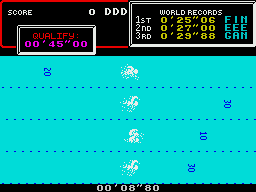
SWIMMING Wait for the starting gun - racing dive into the pool (by pressing the fire button). Your swimming speed is determined by continous left/right controls, but remember in order to swim you must breath so wait for the prompt and then press the fire button. If you breathe at the wrong time you'll swallow water and if you forget to breathe you'll gradually slow and stop. Your opponents have different swimming skills and are controlled by the computer if you can beat them all you're on the way to becoming a true champion.

SKEET SHOOTING Computer controlled sights home in on the skeet and marksmanship depends on fast reaction on the left/right controls. Good shooting gives bonus skeets with higher points but as your shooting improves the rate hots up! Good shooting.

LONG HORSE Now test your abilit as a gymnast - press the fire button to run the springboard, then again when you're on it - Now when you reach the hard stand position press it again to launch into the Somersaults (these are controlled by the left/right movememnt). The total score is made up on the distance you get up the springboard, the length of time on the horse, the number of Spins you can achieve and the perfection of your landing. Like the real event you must perform well right through for maximum marks!

ARCHERY The target moves accross your field of vision and you must judge wind speed and the angle of your shot to hit bullseye. First press the fire button for wind speed/direction, then press fire again to shoot one of your eight arrows at the passing target. (Keeping the fire button pressed indicates the height of the arrow. Hint:- try to get as close to a 5 degree angle as possible.

TRIPLE JUMP Co-ordination is the key to success in this event, approach speed is automatic, press the fire button as close to the take off line as possible. For each part of the jump keep the fire button pressed to increase the angle of the trajectory and release as close to 45 degrees as possible. Your score is a combination of the correct speed, angle and distance.

WEIGHT LIFTING Now for the final test - a test of strength and stamina. Select the weight, type and then use the LEFT/RIGHT controls to increase the weight lifter's power. Press the fire button when WEIGHTS flashes to give the "Powerlift" Continue with power until all three judges acknowledge the feat. Your points score is based on weights. Congratulations you've completed all the events now check your score and see if you can do better next time - Good luck. (c) Konami (c) 1986 Imagine Software (1984) Limited Produced by D. C. Ward


Mikie (1985 - Under Ocean Software's Imagine Studios Label)

Available on: ZX Spectrum, Commodore 64, Amstrad CPC
Developed By: Erbe Software S.A. (Spain). Written by Jonathan Smith and Martin Galway
Number of Players: 1
Controls: Keyboard, Joystick

Description
Help Mikie get the message to his Girlfriend. Join him in high-jumps at school and outwit the Teacher, Maniac Janitor and Chef. Loads of fun and excitement in this computer arcade game! THE GAME Move Mikie through the school by collecting all the hearts in each section (Classroom, locker room, canteen, gymnazium and finally the schoolyard). Each heart collected represents a letter in Mikie's message to his girlfriend at the top of the screen and when the message is complete he can move on to the next area. There are two types of hearts to collect (1) Single hearts - To be found on the floor and under stools. To collect thses you must walk over them. (You can bump your classmates off their seats to obtain the hearts with "HIP-ZAP"). (2) Triple hearts - Placed inside lockers and on the top of tables. To collect these, face the hearts and press "SHOUT" (FIRE) three times. N.B. Flashing hearts give bouns points. When the message is complete and the bell rings Mikie can move on through the door marked "OUT". Now you must negotiate the hallway which is full of doors and suprises and find the right entrance marked "IN" to continue. You have five lives to begin with, but be careful as you are constantly being hassled by those in charge, the Teachers, Chef and Maniac Janitor who get very annoyed when they can't catch you!

CONTROLS
The game is controlled by joystick [or keyboard. You may use Kempston, Cursor or Sinclair joysticks. Keyboard is fully redefinable.] Fire Button = SHOUT Fire plus Direction = ZAP CONTROL i.e for HIP-ZAPPING stand either to the left or right facing the stool and keep pressing that direction until your school mate falls off his chair.

STATUS and SCORING
On-screen scoring shows current score, lives, message status and what room you are in. High-scroe is displayed at the end of the game. Hearts 200 points Hip-Zap 600 points Chicken/Ball throw 200 points Bonus hearts 1000 points Kissing 100 points Door-Trap 100 points 2000 Bonus points for each room completed. Mystery bonuses too numerous (can you find them?)

PLAYING HINTS
You can stun your pursuer by taking Chicken or Basket Balls and throwing them (in appropriate screens). You may become "Stunned" by kissing and dancing girls or from the Traps which lie behind some of the doors in the hallway. Watch out for the Teacher, if he gets really mad he might throw his false teeth at you! On the 5th screen, in the schoolyard, you finally catch up with your girlfriend and deliver the message. O.K. You can pause for breath in the classroom by sitting on a vacant stool... but not too long!

Its program code, graphic representation, and artwork are the copyright of Imagine Software (1984) Limited and may not, be reproduced, stored, hired or broadcast in any form whatsoever without the written permission of Imagine Software (1984) Limited. All rights reserved The program runs on the Commodore 64. (c) Konami (c) 1986 Imagine Software (1984) Limited Produced by D. C. Ward


World Series Baseball (1985 - Under Ocean Software's Imagine Studios Label)

Available on: ZX Spectrum, Commodore 64
Developed By: EDOS, Platinum Productions (Ian Morrison and David J Anderson)
Number of Players: 2
Controls: Keyboard, Joystick

Description
Compete head to head or against the computer in this stunning baseball simulation. Prior knowledge of baseball not essential - self demo mode for instructions. Giant video screen for close-up action. Fun to play, with real baseball features including - streal options, curved balls, pitcher throws and all the razamataz of the U.S.A. World Series Baseball Spectrum version By: IAN MORRISON and DAVID J. ANDERSON. Music By: ROBIN MUIR. Produced By: D.C. WARD. (c)1985 Imagine Software (1984) Ltd.

World Series Baseball
===================== Welcome To World Series Baseball --------------------------------

Using the Menu
--------------
Pressing any key during the title screen or demonstration mode will bring up the menu screen. There are three status bases: one displaying the present number of players; another displaying the length of game chosen in innings; and finally, the largest base displaying the current control option for both players. Further this is a list of keys which perform various functions when pressed. S to start play; I to go to the instruction pages; P to toggle the number of players; L to alter the number of innings selected (this loops through 3, 6 or 9); C to go to the controls editor; D difficulty level.

Controls Editor
---------------
When C is pressed during the menu the controls editor will appear. Player 1 is given the opportunity to redefine his control keys or select a joystick. There are three function keys shown: "ENTER" when new selection is complete; J to select a joystick (continue pressing to loop through options); or D to redefine the keys. When redefining keys a cursor will flash beneath the key to be defined, just press the key of your choice. Note 1. When a two player game is selected, Player 2 has the opportunity to use the controls editor after player 1 has pressed "ENTER". Note 2. The game hold button is defined as H. This cannot be changed nor can either player define H as control key. Note 3. In a one player game, player 1 has complete freedom to select any control keys except H but in a two player game either player may not select a key already selected by the other. Note 4. With a Sinclair ZX interface 2 the port to be used is indicated by the arrow on the selection. World Series Baseball is one of the few games to allow two players to play simultaneously with a joystick each. Note 5. During play the game can be aborted at any time by pressing T and H (T must be first or the game will HOLD). We, therefore, do not advise the selection of T for a control.

Starting Play
-------------
When you press S to commence play you will be asked to input your name. Simply type in your name up to eight letters. There is a delete facility using the Spectrum delete keys. If you opt not to enter a name the computer will automatically call you "Player 1" or "Player 2". When you complete the process press "ENTER". The computer will now initialise the screen. On the stadium score board will appear both players names with their current team colours. To change colours use left and right to loop through the choices and fire when you have made your selection. We recommend white and blue but the choice is yours. Play will now commence.

Baseball - Rules
----------------
In essence baseball is similar to the familiar game of rounders in as much as one team bats, another fields and points are scored for a successful batter running around all four points of a square which is marked out on the grass. Here, the similarity ends. An innings is the period of play where both teams have one period of batting each. An innings is logically split in two halves and one half innings lasts as long as the batting side prevent three men from getting out. There are three basic methods by which a player may be dismissed: whilst batting he may miss three successive balls - each miss is called a STRIKE and 3 STRIKES means you're out; when he hits the ball it may be caught by a fielder; or he may be run out. The ball is thrown by the Pitcher who stands in the centre of the square. The two lines which extend from the home base (Batter's position) are called the foul lines. If a ball does not land within the area marked by the foul lines when it is struck it is considered a foul and counts as a STRIKE.

Pitching
--------
A close up of the action is displayed on the stadium score board. There are two ways in which each pitch can be varied. Firstly, the speed of delivery may be varied by left and right. Secondly, the height of the delivery is determined by up and down. Select your choice and press the fire button to throw.

Batting ------- Watch the ball carefully as it approaches. How you time your swing will determine how well you hit the ball. You can vary the speed and height of swing by using left/right, and up/down respectively on your joystick. When you are ready press the fire button.

Fielding
--------
As soon as the ball is struck one fielder will come under player control. This will usually be the man nearest to the expected landing site of the ball. Use left, right, up and down to move the man around the field. When he has picked up the ball up use fire to throw it. The direction of control when the ball is thrown selects which base or the pitcher that the ball will be thrown to.

Runner Steals
-------------
While the ball is in the field one of the runners is under player control and you can try to make him advance a base by using up and down to control the direction in which he runs. Note that all runners must be on bases for the next play to commence. To 'Out'

Batsmen
----------------
A batsman may be dismissed if he fails to hit three successive pitches or his ball is caught by one of the fielders. He will leave the field and the number of outs will increase. A runner may be dismissed if he is tagged by the man carrying the ball while he is running between bases of a fielder holding the ball has a foot on the base to which he is running and he cannot return to his last base.

Changing Outfield
-----------------
Before each pitch the scoreboard will show the current position of the outfielders. These men can be moved in or out by pressing up or down while this message is displayed. Get a feel for pitching, hitting, running, throwing, fielding and cathing. The shadow of the ball will help you judge where the ball is headed. World Series Baseball is easy to pick up but tough to master, especially against the computer team. Have fun with World Series Baseball - it's designed to be fun for beginners and advanced players alike.


Yie Ar Kung Fu (1985 - Under Ocean Software's Imagine Studios Label)

Available on: ZX Spectrum, Commodore 64, Amstrad CPC
Developed By: Erbe Software S.A. (Spain), The Hit Squad (UK). Written by Brian Beuken, F. David Thorpe and Martin Galway.
Number of Players: 1
Controls: Keyboard, Joystick

Description
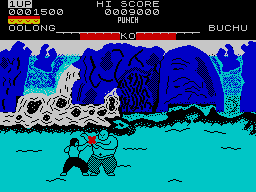
THE GAME Yie Ar Kung-Fu is a text of skill development in the traditional Martial Arts. It features Oolong in his attempt to become a Grandmaster in the ancient skills in honour of his father, a kung-fu master before him. Your ultimate goal is to become a grand-master but to achieve this you must defeat a variety of opponants each more deadly than the last. They are armed with differing skills and weapons and must be overcome with a combination of 16 different attack moves. The controls are by means of joystick or keyboard which is user definable) and the game has a one or two player option. The fun and excitement of Kung-Fu is about to begin as you face your foe.
Your honourable opponents are...
BUCHU - A huge kung-fu fighter who can attack by flying through the air.
STAR - A beautiful girl warrior who is expert at throwing deadly stars or SHURIKEN.
NUNCHA - Master of the NUNCHAKU - beware his reach. POLE - Attacks with the ancient rod or BO.
CLUB - ...This fighter is armed with a shield to deflect your blows and a club to strike back. FAN - Another female adversary, this time an exponent of the NINJAFAN.
SWORD - Sword carrying apponant, a firesome and deadly foe.
TONFUN - Skilled in the art of fighting with flailing sticks of TONFA.
BLUES - The Kung-Fu master himself, has all the skills and moves of Oolong, but faster. If you can win this final battle you truly will become a Grand Master.

LOADING
Type LOAD "" <ENTER> [Note there is no space between the two quotes]. The " is obtained by pressing SYMBOL SHIFT and the P key simultaneously. For further instructions consult chapter 6 of your manual. Now press PLAY on the recorder. The screen message should appear and the game will load automatically. If this does not happen try adjusting the volume and tone controls up until loading takes place.

CONTROLS
Oolong is controlled as follows: Joystick control plus FIRE button creates the attack moves. SPACE bar switches between KICK and PUNCH. JOYSTICK DIAGONAL JUMP JUMP DIAGONAL JUMP LEFT \ | / RIGHT \ | / \|/ LEFT -----+----- RIGHT /|\ / | \ / | \ DUCK KEYBOARD Key controls with out the FIRE key pressed emulate the joystick controls. The keyboard control substitutes are indicated on each move as the KEY LETTER, but can be redefined if required. The S key represents FIRE. CAPS SHIFT - Pause BREAK - Return to Menu SPACE - Restart ATTACK MOVES W (UP) FLYING PUNCH FLYING KICK E (UP+RIGHT) LEAPING PUNCH HIGH KICK D (RIGHT) LUNGE PUNCH ROUND HOUSE KICK C (DOWN+RIGHT) LUNGE PUNCH ANKLE KICK KO METER When KO meter reaches 0 player is knocked out The attack moves are illustrated above and the KO meters for you and your opponent indicate the state of play at each level. You have 5 lives to begin your task...GOOD LUCK! ANKLE PUNCH LEG SWEEP X (DOWN) STRIDE PUNCH GROUND KICK Z (DOWN+LEFT) LACE PUNCH RISING KICK A (LEFT) HOOK PUNCH SWOOPING KICK Q (UP+LEFT)

STATUS and SCORING
On screen scoring indicates your current score the high score and number of lives you have remaining. Bonus life is awarded at 20,000 points and the score for each move is as follows. FLYING KICK 2000 FLYING PUNCH 2000 ROUND HOUSE KICK 500 LUNGE PUNCH 500 LEG SWEEP 500 GROUND KICK 1000 RISING KICK 1500 HOOK PUNCH 1500 ANKLE PUNCH 1500 STRIDE PUNCH 1500 LEAPING PUNCH 1500 LUNGE PUNCH 1000 FACE PUNCH 500 ANKLE PUNCH 1000 SWOOPING KICK 1000 HIGH KICK 1000

HINTS and TIPS
* Seek and attack opponent's weak point. * Remember Oolong can jump over his foes and put them offguard. * Try hit and run tactics and keep your distance from armed opponents. YIE AR KUNG FU Yie Ar Kung Fu is a trademark of Konami Limited. Produced by D.C. Ward


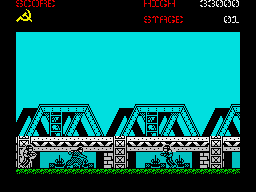
Green Beret (1986 - Under Ocean Software's Imagine Studios Label)

Available on: ZX Spectrum, Commodore 64, Amstrad CPC
Developed By: Erbe Software S,A, (Spain), The Hit Squad (UK)
Number of Players: 1
Controls: Keyboard, Joystick

Description
LOADING
Position the cassette in your tape recorder with the printed side upwards and make sure that it is rewound to the beginning. Ensure that the connection elad goes from the EAR socket on the recorder to the EAR socket on the Spectrum and that the MIC socket is disconnected. Type LOAD "" <ENTER> [Note there is no space between the two quotes]. The " is obtained by pressing SYMBOL SHIFT and P key simultaneously. For further instructions consult chapter 6 of your manual. Now press PLAY on the recorder. The screen message should appear and the game will load automatically. If this does not happen try adjusting the volume and tone controls up until loading takes place.

THE GAME Rescue the Captives! You are THE GREEN BERET, a highly trained combat machine. Your mission; infiltrate all four enemy Strategic Defence Installations - you are alone, against immeasurable odds, have you the skill and stamina to succeed? CONTROLS The program is controlled by either joystick or keyboard which is redifinable. Most types of interface are compatable and on screen instructions indicate the correct procedure. Joystick The Green Beret is moved as follows using a combination of up, down, left and right. JUMP/GO UP | JUMP BACK \ | / JUMP FORWARDS \ | / \|/ LEFT -----+----- RIGHT /|\ / | \ LIE DOWN/GO DOWN / | \ LIE DOWN / GO DOWN | LIE DOWN/GO DOWN Fire button - KNIFE FUNCTION With keyboard control a separate key is defined as "Shoot". With Joystick this feature is activated by pressing any key on the keyboard (with the exception of the top row). PLAYING Red Alert! Use the platforms and ladders to advance through four defence stages:- Missile Base; Harbour; Bridge and Prison Camp. Use your knife to attack the defenders who will jump, kick, shoot to stop you. Watch your step - you may become a human "Mine Detector". Dodge the bullets missiles and mortar attacks along the way. Collect your weapons systems by killing the commandant. Weapons are: Flame Thrower, Grenade, Rocket Launcher. Beware! At the end of each stage the enemy will launch a major offensive using all the means at their disposal. STATUS AND SCORING On screen information show current score and lives remaining at the top left of the screen and high-score and current stage at the top right. Any weapons that you may be carrying are graphically displayed at the bottom left of the screen. You begin your mission with three lives and gain bonus lives at 30,000 points and every 70,000 points thereafter.

HINTS AND TIPS
* Avoid the bullets/missiles by lying down or jumping. * Weapons can be used to destroy more than just the enemy. * Keep moving or you may have a lot of company. * Try to save weapons for the end of each stage. * Watch the skies!

This software tape has been carefully developed and manufactured to the highest quality standards. Please read carefully the instructions for loading. If for any reason you have difficulty in running the program, and believe that the tape is defective, please return it direct to: Mr. Yates, Imagine Software (1984) Limited, 5 Central Street, Manchester, M2 5NS. Our quality control department will test the product and supply an immediate replacement if we find a fault. If we cannot find a fault the tape will be returned immediately to you, at no charge. PLEASE NOTE THAT THIS DOES NOT AFFECT YOUR STATUTORY RIGHTS. GREEN BERET Its program code, graphic representation, and artwork are the copyright of Imagine Software (1984) Limited and may not be reproduced, stored, hired or broadcast in any form whatsoever without the written permission of Imagine Software (1984) Limited. All rights reserved worldwide. Green Beret runs on the Spectrum 48K and Spectrum +. ©Konami ©1986 Imagine Software (1984) Limited Program and graphics designed by Jonathan Smith. Produced by D. C. Ward


Movie (1986 - Under Ocean Software's Imagine Studios Label)

Available on: ZX Spectrum, Commodore 64, Amstrad CPC
Developed By: Dusko Dimitrijevic, Dragoljub Andjelkovic, F. David Thorpe
Number of Players: 1
Controls: Keyboard, Joystick

Description
KEYS : Up - Q to P Down - A to Enter Left - X, V, N Right - Z, C, B, M, Space Fire - 1 to 0

INSTRUCTIONS
You're a private detective who's been hired to recover an audio tape from a gangster's HQ. First however, you have to find a girl, who will lead you to the Mob's base. This isn't as simple as it sounds, though, since she has an identical twin sister who is a member of the Mob. You'll have to find the right girl and protect her from harm on the way to the HQ... The game is viewed in an Ultimate-style isometric 3D perspective (although rather oddly, all the characters appear to be cardboard cutouts...). Along the bottom of the screen is a row of ten icons. From left to right, they are: 1) Cursor control - allows you to point the blue inventory arrow (above this icon) at an object you're holding before you make use of it. 2) Pick up - allows you to pick up an object that's at your feet. 3) Put down - allows you to drop an object, selected with the blue inventory arrow. 4) Gun - provided you're carrying a gun, this allows you to fire. The little white dots above the box indicate the number of bullets. 5) Movement - swiches you into movement mode. 6) Speech - inflates a speech bubble next to your character. Type your words and press Enter to say them. 7) Punch - self-explanatory, really... 8) Throw - allows you to throw an object, selected with the blue inventory arrow. 9) Halt - pauses the game. 10) Abort - quits the current game. Pressing the fire button allows you to move the icon selection cursor in order to select the relevant icons. At the start of the game, movement mode is selected as the default, allowing you to move around the room in four directions. Some of the objects (such as chairs and tables) can be moved around, while the smaller ones can be picked up, dropped or thrown. The gun, if you find it, can be fired up to five times before its ammo runs out, in which case you'll have to find a new gun. The playing area is a rather seedy area of the city in which several mobsters are lurking. Some will try to punch you (and you can punch back) but others carry guns and will try to shoot you. There are other, friendlier characters too. You can talk to them using the Speech icon; although they won't accept direct orders, they can be friendly and give you some useful help. Some doors are guarded, and you'll need to speak the appropriate password to enter them - using your detective skills you should be able to get the passwords. As you collect useful items, they'll appear in the space above the icons. A small blue arrow points at your latest acquisition and, if you want to make use of an object, use the Cursor Control icon to highlight the object. Sometimes you'll need to throw items; look out for the bomb!


Psycho Soldier (1987 - Under Ocean Software's Imagine Studios Label)

Available on: ZX Spectrum, Commodore 64
Developed By: Erbe Software S.A. (Spain), Source Software Ltd (Ross Harris)
Number of Players: 1
Controls: Keyboard, Joystick

Description
The Heroine is back, and this time she's not alone, in a new arcade- action game. Caught once more in the strange, unfathomable games of the gods, Athena has been whisked through time and space to a bizarre alternate reality where humanity is in thrall to a race of demons, each more fearsome than the last. The few survivors who resist their unearthly over-lords look to her for guidance and redemption and once again the mantle of saviour has been placed upon her. Steeling herself against the unknown terrors that await she seeks an answer within herself and then a voice, cold and clear like a bell tells her that all power is hers. The force of truth and justice a weapon in her hands to smite her assailants and crush their evil hearts, Awaking as if from a dream, she arises and steps out into the war-torn world into which she has been thrust. Her eyes grow hard as somewhere a scream tears the silence and strikes a cold hard echo in her warrior's heart. Her stride, long and languid carries her into the shadows, there her fate is awaiting; perhaps her death. Join Athena in her quest as she cuts a bloody swathe down through the demon-infested hell of an oppressed world to her ultimate confrontation with the vile despot at the world's dark core. SPECTRUM 48K The labelled side of the tape contains a 48K version. This game loads in a number of parts. Once the first part has loaded, stop/pause the tape player. When you have completed all of the levels in that particular load, a message will appear requesting you to start the tape again. When this part has loaded continue as above. NOTE Once you have loaded any level after the first load and subsequently lost all your lives, to start again from the beginning, rewind the tape and begin as above. SPECTRUM 128K The unlabelled side of the tape contains a 128K version, The complete game will load as a single loader.

SPECTRUM LOADING
1. Place the cassette in your recorder ensuring that it is fully rewound, 2. Ensure that the MIC socket is disconnected and that the volume and tone controls are set to the appropriate levels, 3. If the computer is a Spectrum 48K or Spectrum+ then load as follows, Type LOAD"" (ENTER). (Note there is no space between the two quotes), The " is obtained by pressing the SYMBOL SHIFT and P keys simultaneously. 4. Press PLAY on your recorder and the game will load automatically. If you have any problems try adjusting the volume and tone controls and consulting Chapter 6 of the Spectrum manual, 5. If the computer is a Spectrum 128K then follow the loading instructions on-screen or in the accompanying manual. This game loads a new level in when the level you are playing is completed. Follow all on-screen instructions.

CONTROLS
Psycho Soldier is controlled by joystick, or keyboard which is redefinable. .........1.........2.........3.........4.........5.........6.........7.........8 JOYSTICK KEYBOARD (Kempston, Cursor or Sinclair) UP up arrow - UP ^ down arrow - DOWN | right arrow - RIGHT LEFT < --- + --- > RIGHT left arrow - LEFT | 0 - FIRE LASERS v SPACE BAR - FIRE BOMBS DOWN BREAK - PAUSE FIRE - FIRE LASERS SPACE BAR - FIRE BOMBS GAME PLAY Power through all six levels (each of 30 screens) in this scrolling platform scenario, Take the role of the Heroine as you progress along each level destroying the bricks. These reveal icons which can be picked up to increase energy, bombs and laser power ... but beware the negative icons, especially the dreaded mushroom! At the end of each level you must destroy the building with a combination of bombs and laser fire before progressing and during every stage there are numerous adversaries to overcome. Shooting the Globe which appears from the inside of the egg renders you indestructible (dragon mode) until your energy is depleted. GOOD LUCK

STATUS AND SCORING
On-screen display shows your bomb energy (a different colour for each type of bomb), number of bombs remaining and current score. Points are gained by hitting the protagonists that you encounter, the larger they are the more points you score, ranging from 100 points for the smaller ones, up to 1,500 points for the larger and more vicious types. On completion of each level 10,000 points x the level number is awarded. Extra lives are awarded at 50,000 points, 150,000 and every 100,000 thereafter. An extra life will also be awarded for hitting the playing card which appears randomly at various levels throughout the game.

HINTS AND TIPS
* Try to use the bombs sparingly and make the most of their differing attributes depending on energy; e.g. Blue bombs can destroy several enemies when sent bouncing between them. * Energy and Bomb icons are predictable, learn their position. * On higher levels the dagger is useful. * Use the Spaceship to destroy as much as possible during the limited time it is available. Conversion by Source The Software House Ltd Program graphics and music by Source


Renegade (1987 - Under Ocean Software's Imagine Studios Label)

Available on: ZX Spectrum, Commodore 64, Amstrad CPC
Developed By: Erbe Software S.A. (Spain), The Hit Squad (UK) - Mike Lamb, Ronnie Fowles and Fred Gray
Number of Players: 1
Controls: Keyboard, Joystick

Description
CONTROLS : Keyboard, Kempston, Cursor ---------------------------------------------------------------------- AIM : The streets aren't safe! Night falls as you make your way through the most sinister part of town to rescue your girl, captured by a vicious gang of street punks. You'll need to fight your way through five levels of homicidal thugs to get to her... GAMEPLAY : The game is divided into five stages: 1) Subway station - a gang of muggers 2) Pier area - a motorcycle gang (some on bikes!) 3) Red light area - whip-cracking ladies of the night 4) Back alley, 1 - razor-wielding gang (one hit is fatal) 5) Back alley, 2 - razor wielders plus boss with gun Gameplay is simple enough - punch, kick and jump your way through the henchmen and then deal with each of the four bosses. (Hint: jump kicks are a good way of dealing with Big Bertha on level 3). If you press down and fire while standing over a floored assailant, you can punch him into oblivion.


Arkanoid (1987 - Under Ocean Software's Imagine Studios Label)

Available on: ZX Spectrum, Commodore 64, Amstrad CPC, Atari ST, NES
Developed By: Probe Software Ltd (Mike Lamb, Ronny Fowles, Mark R. Jones)
Number of Players: 1
Controls: Keyboard, Joystick

Description
THE GAME The era and time of this story is unknown. After the mothership "Arkanoid" was destroyed, a spacecraft "Vaus" scrambled away, only to be trapped in the void. You control the Vaus and have to penetrate 32 levels and then confront the "Dimension Changer" whom you must destroy in order to reverse time and resurrect the "Arkanoid". Frantic action and split second timing combine to produce the most addictive and compulsive game. LOADING 1. Place the cassette in your recorder ensuring that it is fully rewound. 2. Ensure that the MIC socket is disconnected and that the volume and tone controls are set to the appropriate levels. 3. If the computer is a Spectrum 48K or Spectrum + then load as follows. Type LOAD "" (ENTER). (Note there is no space between the two quotes). The " is obtained by pressing SYMBOL SHIFT and P keys simultaneously. 4. Press PLAY on the recorder and the game will load automatically. If you have any problems try adjusting the volume and tone controls and consult Chapter 6 of the Spectrum manual. 5. If the computer is a Spectrum 128K the follow the loading instructions on- screen or in the accompanying manual.

CONTROLS
The game is controlled by Joystick or Keyboard as follows. NOTE - High score can only be entered using keyboard control. Keyboard Right is B to Space Left is cap-shift to V Fire is A to L Joystick Kempston and Sinclair (1) Joystick compatible.

HOW TO PLAY
You control the Vaus craft which can be moved left or right. Using your skills, you must deflect an energy bolt which will gradually break down the walls confronting you. Certain coloured bricks must be hit more than once and others are completely indestructible. Alien life forms descend at random to hinder you but are eliminated on contact with either the energy bolt or the Vaus. You are aided in your attempts with energy Capsules which are hidden beneath certain bricks and released upon their destruction. Each capsule has a different power and is denoted by a letter painted on its side. These are as follows: S Slows down the speed of the energy bolt, making it easier to position yourself. C Enables you to catch the bolt, move to the desired position and then fire. E Expands the Vaus craft, giving you more chance to deflect the bolt. D Disrupts the bolt into three separate components thereby giving you three times the effect. L Arms your Vaus with a laser allowing it to shoot bricks and aliens. B Breaks the section of the wall enabling your Vaus craft an alternative escape route to slip through to the next level. P Awards you an extra life.

STATUS AND SCORING
On screen scoring displays current score, hi-score, number of lives remaining and level attained. Points are awarded between 50 and 120 for knocking out a brick, depending on the colour. Collecting a capsule is 1,000 and hitting an alien scores 100 points. Extra lives are awarded for collecting the "P" capsules. HINTS and TIPS * The disruption capsule is of great use if your bolt is caught behind or enclosed within, a wall. * The laser is most useful to break down the bricks which require a number of hits. * Using the very edge of your Vaus to deflect the bolt will give you a much sharper angle - most useful for maneouvering it into restrictive places. Good Luck

This software product has been carefully developed and manufactured to the highest quality standards. Please read carefully the instructions for loading. IF FOR ANY REASON YOU HAVE DIFFICULTY IN RUNNING THE PROGRAM, AND BELIEVE THAT THE PRODUCT IS DEFECTIVE, PLEASE RETURN IT DIRECT TO: MR. YATES, IMAGINE SOFTWARE (1984) LIMITED, 6 CENTRAL STREET, MANCHESTER M5 2NS. Our quality control department will test the product and supply an immediate replacement if we find a fault. If we cannot find a fault the product will be returned to you, at no charge. Please note that this does not affect your statutory rights. CREDITS Coding by Mike Lamb. Graphics by Ronnie Fowles. Produced by D.C. Ward. 1987 Imagine Software (1984) Limited. Licensed from Taito Corp., 1986. Programmed for the Spectrum by Imagine Software. Export outside Europe prohibited.


Target: Renegade (1988 - Under Ocean Software's Imagine Studios Label)

Available on: ZX Spectrum, Commodore 64
Developed By: Mike Lamb, Dawn Drake, Jonathan Dunn, Gari Biasillo, Simon Butler
Number of Players: 2
Controls: Keyboard, Joystick

Description
He's back - meaner, tougher and thirsting for revenge! LOADING Type LOAD"" (ENTER) CONTROLS The game may be controlled by joystick or keyboard JOYSTICK - Kempston or Sinclair, port 1 or 2 with the fire button pressed (facing right) N - JUMP KICK NW - JUMP KICK LEFT NE - JUMP KICK RIGHT W - BACK KICK E - PUNCH/GRAB HOLD OF OPPONENT S - ATTACK FLOORED OPPONENT FIRE - PUNCH/KNEE/USE WEAPON/PICK UP WEAPON Please note these movements are reversed when you are facing left. Without the fire button pressed. N - UP NW - UP LEFT NE - UPRIGHT W - LEFT E - RIGHT SW - DOWN LEFT SE - DOWN RIGHT S - DOWN KEYBOARD - fully redefinable Player 1 Player 2 LEFT - K LEFT - 6 RIGHT - L RIGHT - 7 UP - Q UP - 9 DOWN - A DOWN - 8 FIRE - SPACE FIRE - 0 Press S to pause the game. This game has a two player option. If this option is selected it meons you can be aided by a companion in your attempts throughout the levels. Each section you go through however will be consequently more difficult, but you will have twice the manpower with which to defend your self. Learn to co-operate with your partner rather than just trying to overcame opponents separately. GAMEPLAY This game tokes place in the seedy city of Scumville. You have five environments to progress through each of which is harder than the lost. In each scene you will encounter a different type of villain who will try and subdue you in variety of lethal fashions and at the end of each level is a doorway leading to the next scene. By a combination of punching, kicking and with Mr. Big. Weapons can be obtained by subduing an opponent who is carrying a club or simply by picking up an item from the ground Scene 1 - Multi-storey car park. Here you will meet a gang of motor cyclists who will attempt to either run you over or strike you with their weapons. The mounted cyclists must first be kicked off their bikes, but this will only render them unconscious for a very short time. Beware too, of the members of the gang and their friends who will creep up on you unawares in their attempt to smash you. Scene 2 - Seedy Street at night. You will be confronted by the "ladies of the night" who will try to beat you in the most unladylike manner. Additionally, the lady's "boss" will be on hand to make sure you are not victorious. Armed with a gun, and a limited number of bullets, he will attempt to shoot you and you must take evasive action until his ammunition has run out, then you can attack him man to man. Scene 3 - The Park. Here, a number of undesirable skin-heads will attempt to beat you to pulp. Pure punching, kicking etc. is the only way you will be able to progress to the next level. Using weapons that can be found an the ground you must fight your way through to the final confrontation Scene 4 - The Shopping Mall. The Beasty Boys are in town and some of their most ardent fans have congregated in the shopping mall, aware that your progress towards Mr. Big has almost reached its conclusion. Together with their canine friends they will attempt in a variety as ways to make sure this is your last level. Scene 5 - The Bar. Before you are allowed to confront Mr Big on his home ground, you must first subdue his vicious bodyguards who will stop at nothing to ensure you do not threaten their leader (Warning - when you do manage to overcome these thugs, Mr. Big himself is a major force to be reckoned with)!


Bad Dudes vs DragonNinja (1988 - Under Ocean Software's Imagine Studios Label)

Available on: ZX Spectrum, Commodore 64
Developed By: Erbe Software S.A. (Spain), The Hit Squad (UK) - Paul Owens, Mark R. Jones, and Bill Harbison
Number of Players: 1
Controls: Keyboard, Joystick

Description
Seven levels of lean, mean, fighting screens to battle through. Use your special Martial Arts skills, Punch, Kick, Jump, Flying-kick and Super-punch; with added power in the shape of special Ninja-style weapons. The opponents in your battle for supremacy are four types of Evil star/throwing Ninja Assassins whose skills are manifold and dangerous. Also out to spoil your day are acrobatic Women Warriors and vicious Guard Dogs. At the end of each level you must overcome the Ninja Master in order to progress - some examples of these superhuman villains are:- A fire-breathing Fat Man, an Armour Clad giant and Green and Gruesome Giant Ninja - who has a disconcerting habit of suddenly multiplying into an army! Mission accomplished?.... not yet! Now rescue the President of The United States from the grip of these villainous warriors and fly him to safety.

LOADING 48K side 1 - This is a multi-load game. Load the first program as below. Type LOAD"" This allows you to play level 1. On completion of each level you will need to load a short program. Follow on screen prompts. +2, +3, 128K (side 2). Type LOAD""(ENTER).

CONTROLS
Redefinable keys and Sinclair and Cursor joysticks. JOYSTICK FACING RIGHT JUMP JUMP LEFT \ | / JUMP RIGHT WALK LEFT - * - WALK RIGHT CROUCH / | \ ANKLE KICK CROUCH WITH FIRE BUTTON PRESSED HIGH JUMP HIGH JUMP \ | / HIGH KICK BACK KICK - * - HIGH PUNCH JUMP DOWN / | \ LOW PUNCH ANKLE KICK NOTE: When facing left the controls are reversed. The game is controlled by joystick only in Port 1, one player only. Leaving the fire button pressed starts the super punch. Releaseto action.

GAMEPLAY
Battle you way through screen after screen of adversaries, progressing right or left depending on the level. You face a giant enemy at the end of each level who must be disposed of with multiple hits. You can collect extra weapons (chain or knife) if dropped by a fallen enemy. There are also capsules scattered randomly around the playfield. Time capsuleg give extra time for the level while energy ones replenish your life source. The Super-punch feature allows you to knock down several adversaries with one blow. This power blow takes all your concentration and can only be implemented by standing still and holding down the fire-button for a few seconds until charged

SCORING Points are scored for disposing of adversaries (200) and 50 for a hit on the giant Ninjas: 3000 points are awarded for disposing of these big baddies. If time reaches zero - game over. If energy reaches zero - life lost! © 1988 Imagine Software The Hit Squad, P.O. Box 350, Manchester. M60 2LX


Salamander (1988 - Under Ocean Software's Imagine Studios Label)

Available on: ZX Spectrum, Commodore 64, Amstrad CPC
Developed By: Andrew Glaister, Stuart Ruecroft
Number of Players: 2
Controls: Keyboard, Joystick

Description
Beyond infinity lies the evil galaxy dominated by the forces of the despotic SALAMANDER; A hero must persuade his compatriots to join him on a journey into hell and beyond. Organic Monsters of destruction, Nuclear Spiders, infernos burning like raging seas in torment, Caverns of Despair, Demons beyond the dimensions of our minds...

NOW IS THE TIME ... YOU ARE THE HERO.
The ultimate objective is to destroy a huge brain which controls the Salamander's domain. To achieve this, you have three space-ships that possess limited weaponry but have the capability to multiply their fire-power four times. Each of the 4 levels is made up of different types of terrain and opponents. At the end of which is a large and very powerful enemy who must be destroyed before you can continue.

LOADING 1. Place the cassette in your recorder ensuring that it is fully rewound. 2. Ensure that the MIC socket is disconnected and that the volume and tone controls are set to the appropriate levels. 3. If the computer is a Spectrum 48K or Spectrum + then load as follows: Type LOAD "" (ENTER). (Note there is no space between the two quotes). The " is obtained by pressing the SYMBOL SHIFT and P keys simultaneously. 4. Press PLAY on your recorder and the game will load automatically. If you have any problems try adjusting the volume and tone controls and consulting Chapter 6 of the Spectrum manual. 5. If the computer is a Spectrum 128K then follow the loading instructions on-screen or in the accompanying manual.

CONTROLS
Control is via a Joystick or Keyboard which is fully redefinable. KEYBOARD JOYSTICK UP - Q or /\ UP DOWN - A or \/ | LEFT - I or < LEFT <-----------+----------->RIGHT RIGHT - O or > | FIRE - N DOWN FIRE-FIRE Press the SPACE BAR to pause/quit the game. GAME PLAY As your ship races into the start of level one, learn the best position to destroy all of the waves of aliens. Each of these early waves will leave behind a bonus weapon if you destroy the whole row. In this way you can start the game with enormous weapon power. With Lazers and Missiles plus two multiples very few aliens can stand in your way, but be careful! - Death normally comes rapidly to those who are over confident or just a little bit too greedy. This first level consists of at least five distinct terrain types and the best way to survive is to adapt your playing style to suit each one as it comes hurtling by your ship. To beat the Salamander you will require cunning, dexterity and maybe a little luck - but always remember - who knows what is approaching around the next corner?

STATUS AND SCORING
The information on the screen during play shows the score and number of lives remaining. The hi-score is displayed at the end of the game. Points are scored for killing aliens and collecting bonus weapons. Points are awarded even if the player already has a particular weapon. HINTS AND TIPS * Always collect bonus weapons. * Dodge all small missiles. * Whenever possible avoid the left hand side of the screen.

SALAMANDER Its program code, graphic representation and artwork are the copyright of Imagine Software and may not be reproduced, stored, hired or broadcast in any form whatsoever without the written permission of Imagine Software. All rights reserved worldwide. THIS SOFTWARE PRODUCT HAS BEEN CAREFULLY DEVELOPED AND MANUFACTURED TO THE HIGHEST QUALITY STANDARDS. PLEASE READ CAREFULLY THE INSTRUCTIONS FOR LOADING. If for any reason you have difficulty in running the program and believe that the product is defective, please return it direct to: Mr. Yates, Imagine Software, 6 Central Street, Manchester M2 5NS. Our quality control department will test the product and supply an immediate replacement if we find a fault. If we cannot find a fault the product will be returned to you at no charge. Please note that this does not affect your statutory rights. CREDITS Coding by Andrew Glaister. Graphics by Stuart Ruecraft. Produced by D.C. Ward. ©1988 imagine Software ©Konami